Click to Dial (Edge)
This Microsoft Edge extension makes phone numbers on any web page click to dial with the Vodia PBX. When you right-click on a phone number or selected text, it gives you the choice to either make a WebRTC call from the browser or a call from your desktop phone to the destination.
Installing the Vodia Edge extension
In Microsoft Edge, visit the extension page on the Edge Add-ons store:
Click Get to add the extension to Edge. After installation, the Vodia icon will appear in your extensions toolbar at the top right of your Edge browser. You may need to click the puzzle piece icon and pin the extension for quick access.
How to connect your extension to your PBX
Click on the Vodia icon in the Edge toolbar. A settings popup will appear:
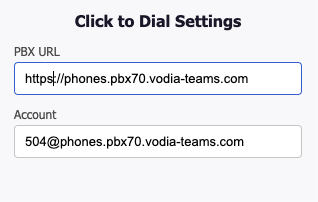
Prior to using the extension, please log in to your User Web Portal. In the extension settings, enter the URL of your PBX and your extension account (e.g. 40@domain.com). Make sure it is a https URL and not a http one. Settings are saved automatically as you type.
Making calls
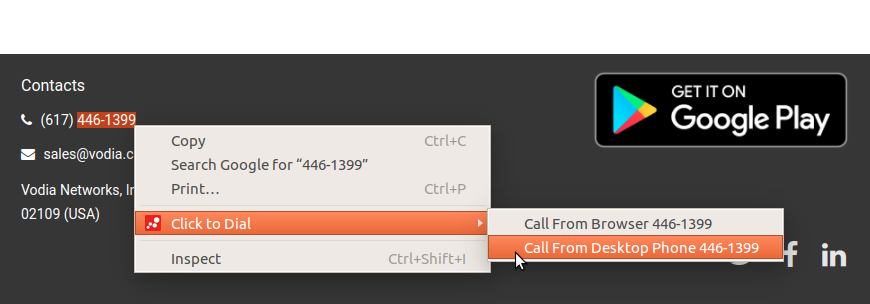
When you visit any web page with phone numbers, you can select a number (or any text containing a number), right-click, and choose from two options in the context menu:
- Call from Browser – Makes a WebRTC call within the browser using your system's microphone and speaker. The call is placed through your Vodia PBX User Web Portal, which must be open in a tab.
- Call from Desktop Phone – Triggers a call from your registered desk phone. The desktop phone must be registered to the same account you entered in the extension settings.
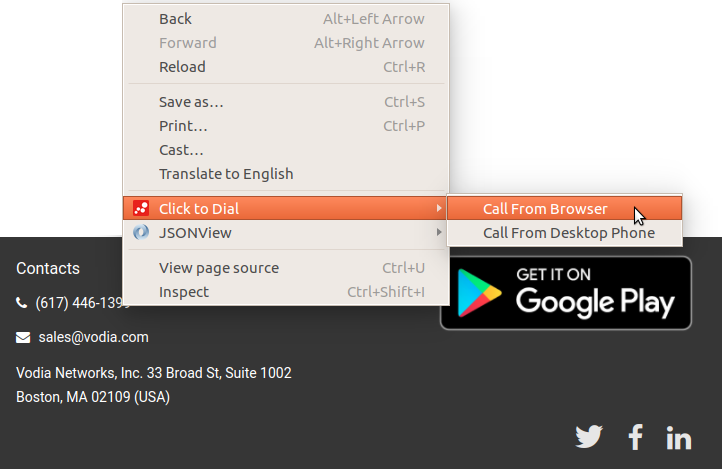
You can also select just a portion of a phone number and dial it using the same method. This is useful for users who have a country and area code configured in their domain and prefer not to modify their dial plans for making calls.
Notes
- After installing or updating the extension, refresh any open tabs for the extension to become active on those pages.
- The extension works on all
http://andhttps://pages. - This extension is built on Manifest V3 and does not require jQuery or any external dependencies.