OpenAI Setup
Prerequisites
Tip: You will need to load credits on your OpenAI account before proceeding.
OpenAI Platform Configuration
-
Log into platform.openai.com
-
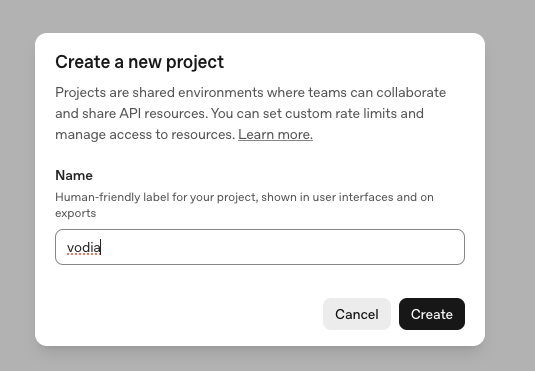
Create a new project and copy the Project ID
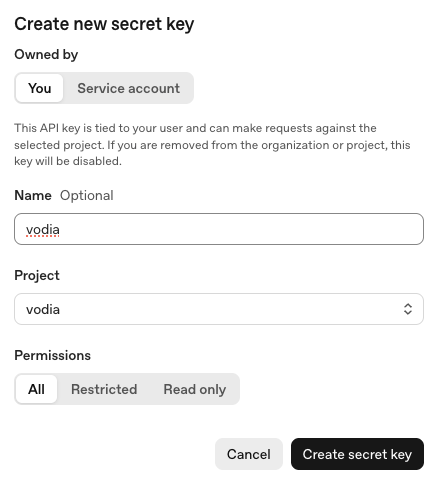
- Create an API key and copy the API Key
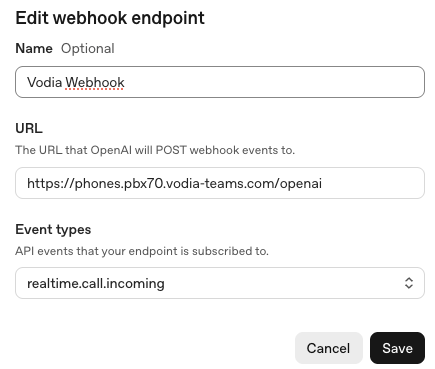
- Create a webhook with the following settings:
- URL: Your PBX URL with prefix, for example:
https://phones.pbx70.vodia-teams.com/openai(whereopenaiis the prefix) - Event Type:
realtime.call.incoming
- URL: Your PBX URL with prefix, for example:
Vodia PBX Configuration
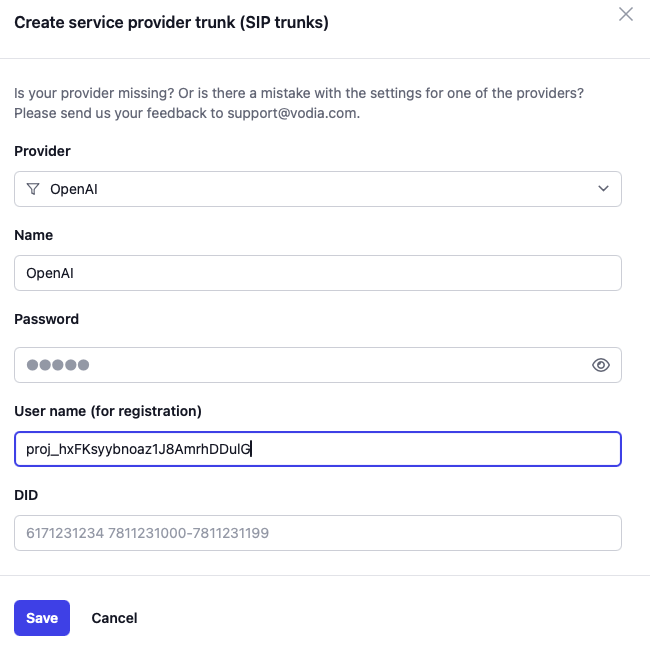
- Create a new OpenAI trunk in Vodia PBX for connection to OpenAI
- Enter the Project ID (from step 2 above) as the username when creating the trunk
- Entter the API Key (from step 3 above) as the password
- Create a dialplan entry for use of that trunk:
- Pattern:
openai - Replacement: (leave empty)
- Pattern:
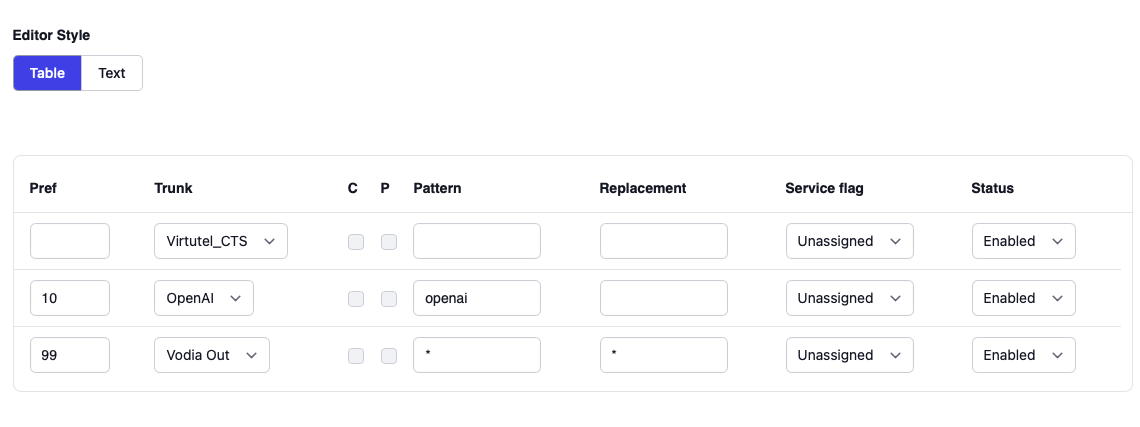
Your OpenAI integration is now configured and ready to use by your Voice Agents JS script.