Alerts
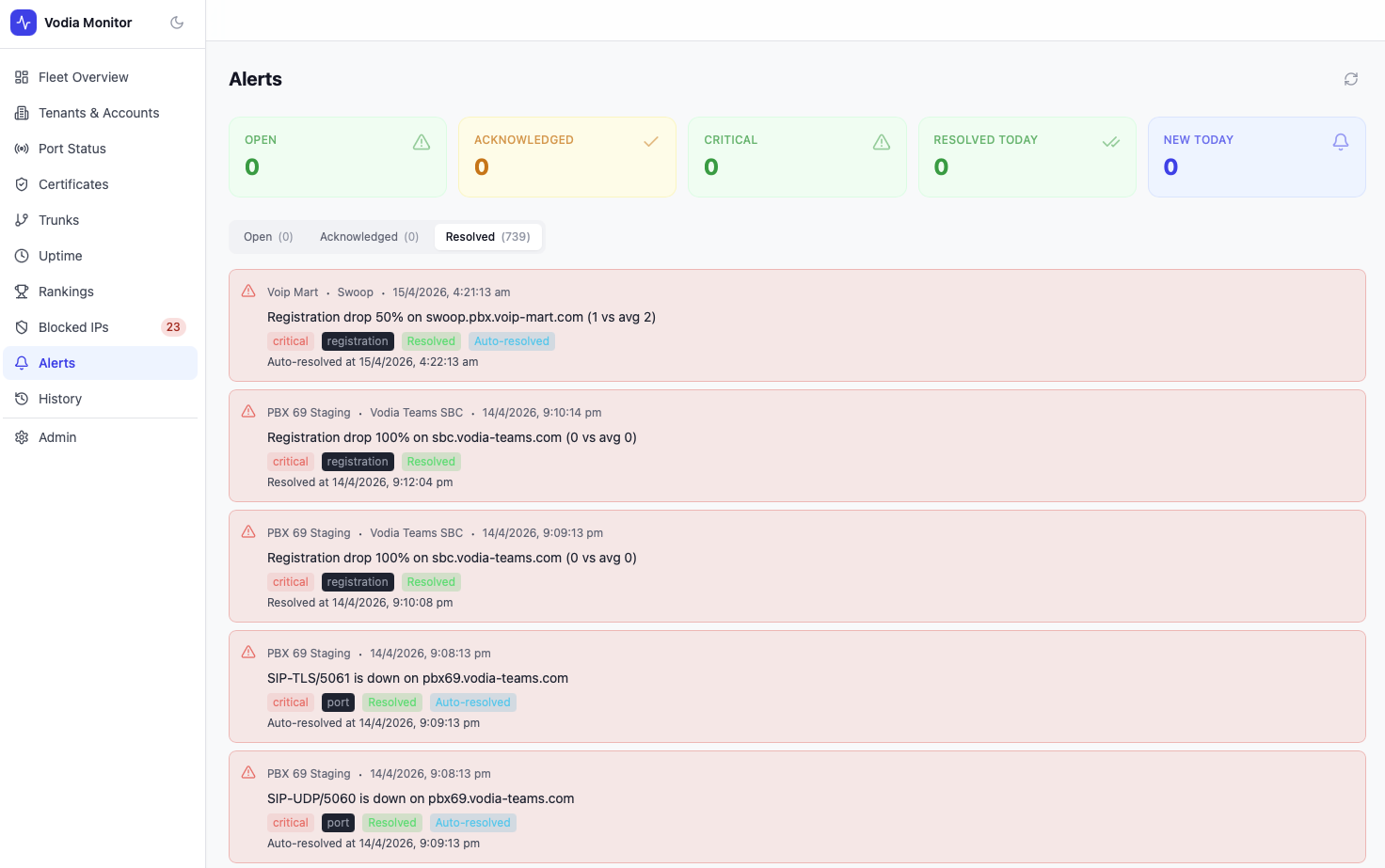
The Alerts page tracks critical events across your fleet — port outages, registration drops, certificate issues, and more. Alerts can be acknowledged, resolved manually, or auto-resolved when the underlying condition clears.
Summary Cards
| Metric | Description |
|---|---|
| Open | Active unacknowledged alerts |
| Acknowledged | Alerts that have been seen but not yet resolved |
| Critical | Open alerts with critical severity |
| Resolved Today | Alerts resolved in the last 24 hours |
| New Today | Alerts created in the last 24 hours |
Alert Tabs
| Tab | Contents |
|---|---|
| Open | All active alerts requiring attention |
| Acknowledged | Alerts marked as seen |
| Resolved | Historical resolved alerts |
Alert Types
| Type | Description |
|---|---|
port | A monitored port (HTTP, HTTPS, SIP-UDP, SIP-TLS) became unreachable |
registration | Trunk registration count dropped significantly below its rolling average |
certificate | A certificate is expiring soon or has expired |
Alert Detail
Each alert shows:
- PBX Server and Tenant — where the alert originated
- Timestamp — when the alert was created
- Message — human-readable description (e.g.
SIP-TLS/5061 is down on pbx69.vodia-teams.com) - Severity —
criticalorwarning - Type —
port,registration, orcertificate - Resolution status — Resolved, Auto-resolved, or open
Auto-resolved alerts include a note showing when the condition cleared (e.g. Auto-resolved at 14/4/2026, 9:09:13 pm).
Notifications
Alerts can trigger notifications via email (SMTP), SMS (Twilio), or webhook (PagerDuty). Configure notification channels in Settings.
Alert rules — thresholds, cooldowns, and which alert types trigger notifications — are also configurable in Settings under the Alert Rules tab.