Certificates
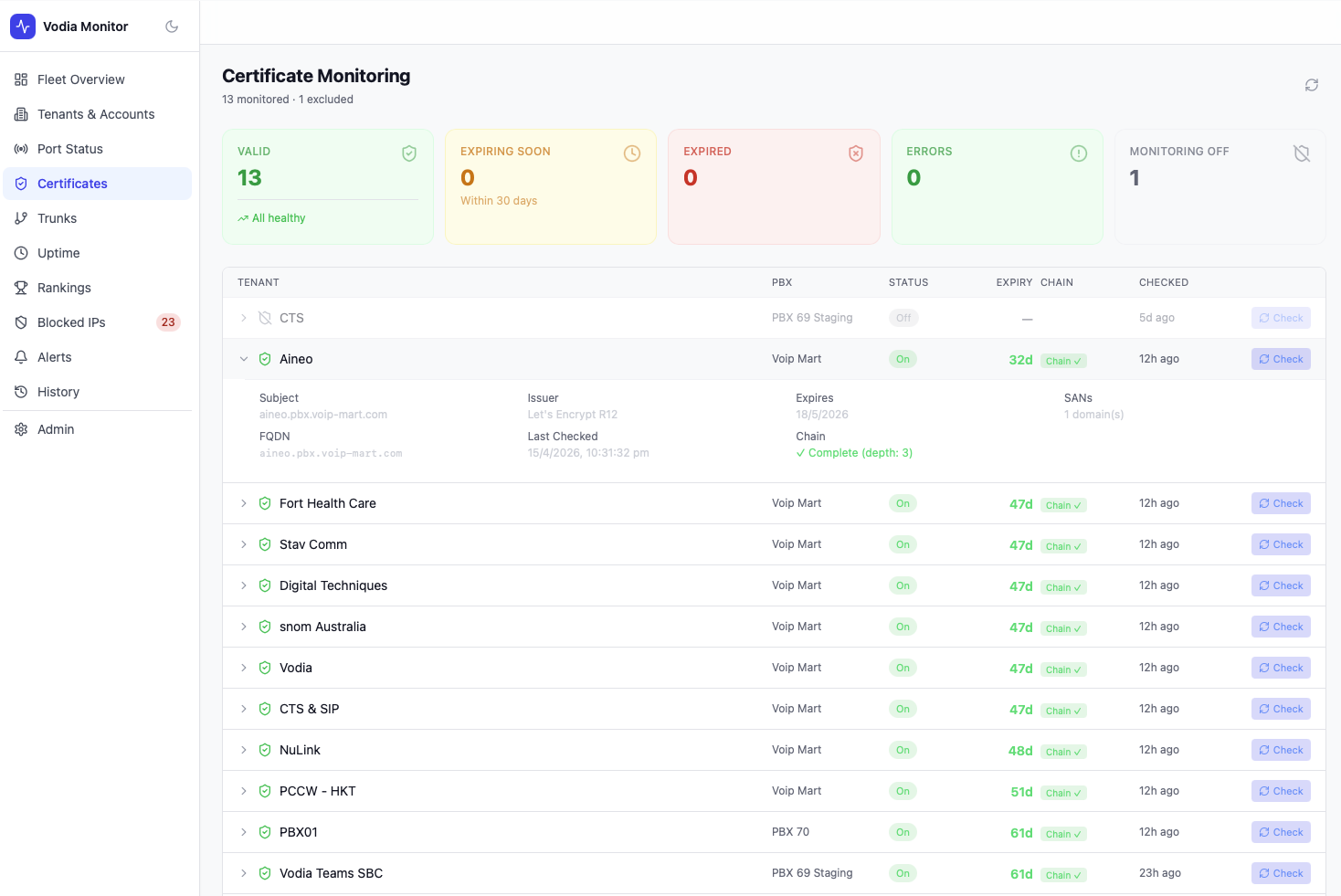
The Certificates page monitors TLS certificates for every tenant across your fleet, tracking expiry dates, chain validity, and monitoring status.
Summary Cards
| Metric | Description |
|---|---|
| Valid | Certificates with no issues |
| Expiring Soon | Certificates expiring within 30 days |
| Expired | Certificates past their expiry date |
| Errors | Certificates that could not be checked (DNS, network, or chain errors) |
| Monitoring Off | Tenants with certificate monitoring disabled |
The header also shows the total monitored count and excluded count.
Certificate Table
Each row represents a tenant certificate and shows:
| Column | Description |
|---|---|
| Tenant | Display name of the tenant |
| PBX | Which PBX server this tenant belongs to |
| Status | Monitoring on/off toggle |
| Expiry | Days until expiry (e.g. 47d) or — if monitoring is off |
| Chain | Chain validation result (Chain ✓ or error) |
| Checked | Time since last check |
| Check | Button to trigger an on-demand check |
Certificate Detail
Clicking a row expands the full certificate detail:
- Subject — the certificate's common name / FQDN
- Issuer — certificate authority (e.g. Let's Encrypt R12)
- Expires — exact expiry date
- SANs — number of Subject Alternative Names
- FQDN — fully qualified domain name
- Last Checked — exact timestamp
- Chain — chain depth and validation result
Enabling / Disabling Monitoring
Toggle monitoring per tenant using the on/off control in the Status column. Disabled tenants are excluded from summary counts and will not generate certificate expiry alerts.
Alerts
Certificate expiry alerts are generated automatically when a certificate enters the Expiring Soon or Expired state. Configure alert thresholds and notification channels in Settings.