Messages
The Messages tab is the fourth icon in the bottom bar. When you have unread messages, the icon shows how many.
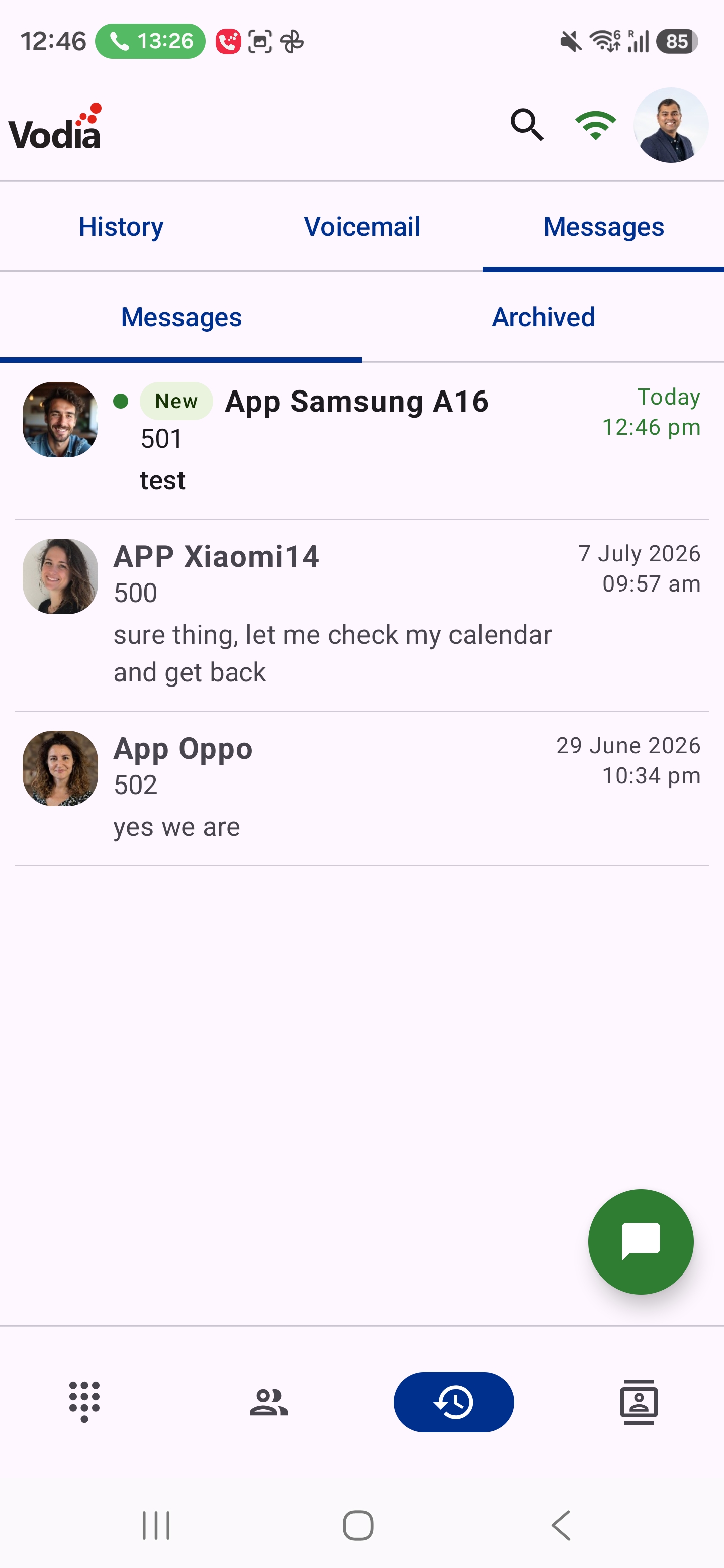
Conversations
Two chips at the top switch between your Messages and your Archived conversations.
- Each row shows the name, the last message and when it was sent. Unread conversations have a green dot and a New label.
- Tap a conversation to open it.
- Swipe left to archive a conversation. In Archived, swipe left to move it back to Messages.
- Swipe right to delete a conversation.
- Tap the magnifier in the top bar to search.
Starting a Conversation
Tap the chat button at the bottom right, then choose who to message:
- Dial a number — enter the number manually
- Extensions — pick another extension on the PBX
- PBX contacts — pick a contact from the company directory
- Phone contacts — pick a contact from your phone's address book
You can also start a conversation with the message button on any row in the Activity, History and Contacts tabs.
In a Conversation
- Tap the green button at the top right to call the person.
- Tap the attach button to send a photo from your Gallery, take one with the Camera, or share a Contact or Document.
- Long-press a message to Copy or Forward it.
- Calls with the person appear in the conversation, with missed calls in red.