Vodia Monitor
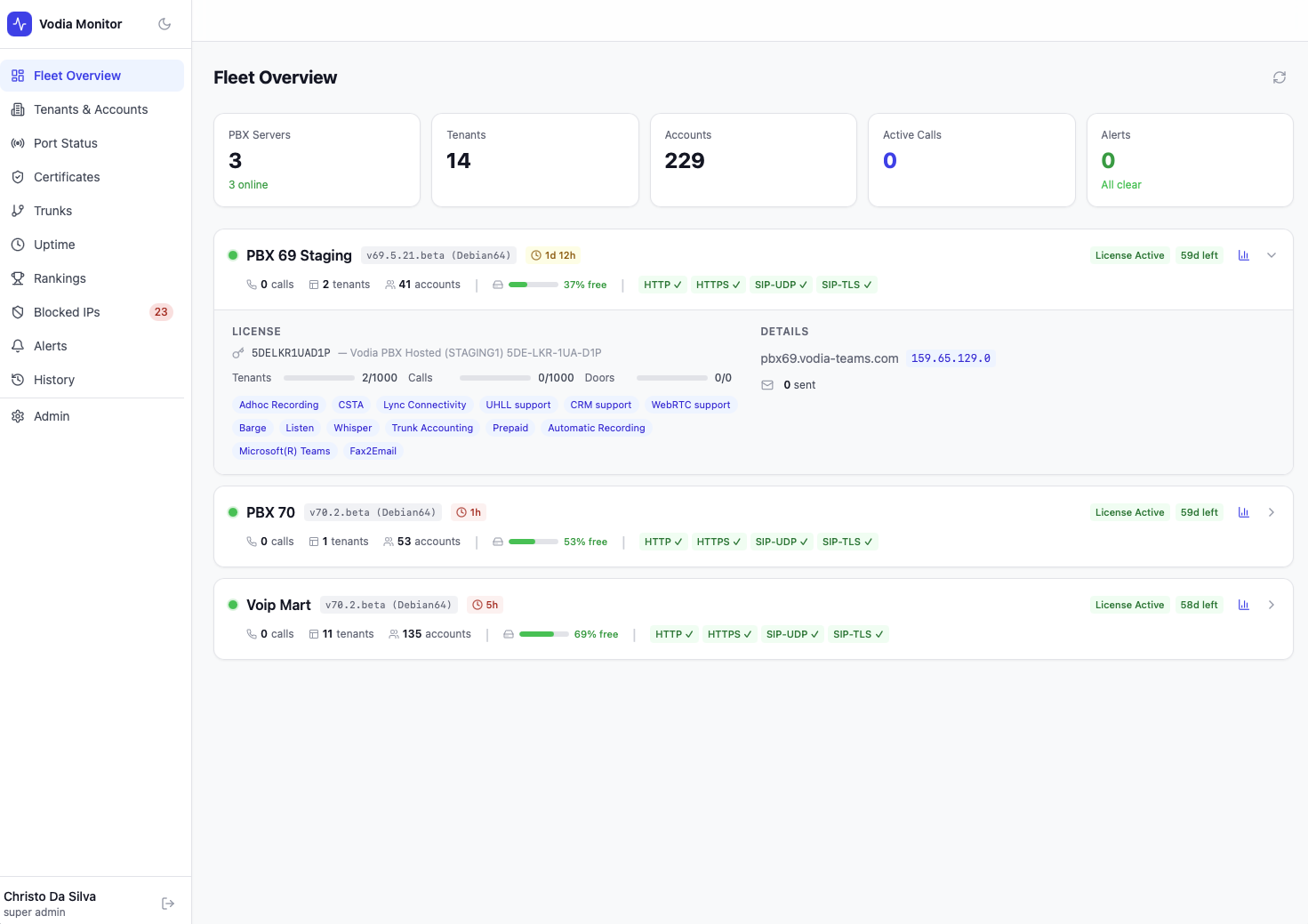
Fleet monitoring for Vodia PBX systems
Vodia Monitor is a self-hosted platform that gives operators real-time visibility into every Vodia PBX server in their fleet — tracking uptime, port connectivity, TLS certificates, SIP trunks, blocked IPs, tenant activity, and configuration changes from a single dashboard.
What You Get
- Fleet Overview — At-a-glance status across all PBX servers: active calls, tenants, accounts, license expiry, disk usage, and port health
- Tenants & Accounts — Full breakdown of every tenant and account type (extensions, queues, IVRs, attendants, ring groups, and more) across your fleet
- Port Status — Live HTTP, HTTPS, SIP-UDP, and SIP-TLS connectivity checks with per-port response times
- Certificates — TLS certificate monitoring with expiry tracking, chain validation, and per-tenant on-demand checks
- Trunks — SIP trunk registration status across all tenants and PBX servers, with per-trunk detail and a call simulator
- Uptime — Per-server and per-port uptime percentages with hourly heatmaps and downtime event logs
- Rankings — Fleet-wide comparisons by extension count, account types, call peaks, CPU, memory, and registrations
- Blocked IPs — Real-time blocklist with country attribution, connection logs, and historical totals
- Alerts — Critical event notifications for port outages, registration drops, certificate expiry, and more
- History — PBX configuration change log and admin login audit trail across your fleet
- AI Health Summary — One-click AI-generated fleet health summaries via OpenAI, Claude, or Gemini
Quick Start
On a fresh Ubuntu 24.04 server with a domain pointed to it:
apt-get install -y wget unzip
wget https://cdn.vodia.net/vodia-monitor/vodia-monitor.zip
unzip vodia-monitor.zip
cd vodia-monitor
sudo bash install.sh
The installer prompts for your domain, admin credentials, and PBX details — then handles everything else automatically. You'll be up and running in under 10 minutes.
tip
Vodia Monitor requires Vodia PBX v69 or later with API access enabled. See PBX Servers for setup instructions.