Contacts & Address Book
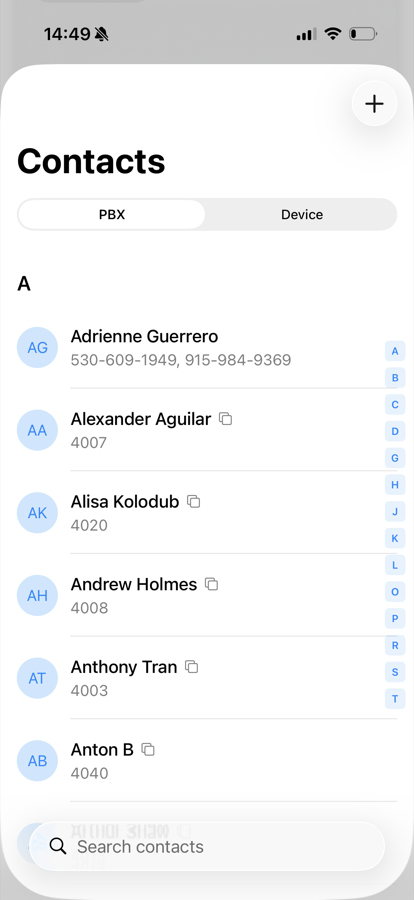
Open the address book from your card on the Extensions tab. A switch at the top toggles between two sources:
- PBX — the shared address book stored on the phone system
- Device — the contacts stored locally on your iPhone
A search field at the top filters whichever list you are viewing.
PBX Contacts
The PBX address book is shared with your colleagues and sorted alphabetically, with an A-Z index on the right for quick navigation.
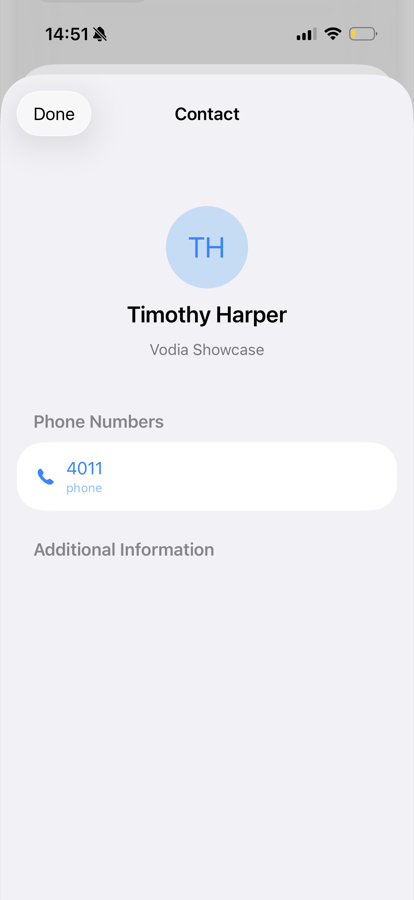
- Tap a contact to see their details, and call or message them from there.
- Tap + to add a new contact to the PBX address book.
- Contacts you are allowed to change can be edited from the detail view, or deleted by swiping left in the list. Entries maintained by the administrator are read-only.
Device Contacts
The Device tab shows the contacts from your iPhone. The first time you open it, iOS asks for permission to access your contacts.
- Tap a contact to view it and call one of its numbers through the phone system.
- Use the Import button to copy a device contact into the PBX address book, so colleagues can see it too.