Blocked IPs
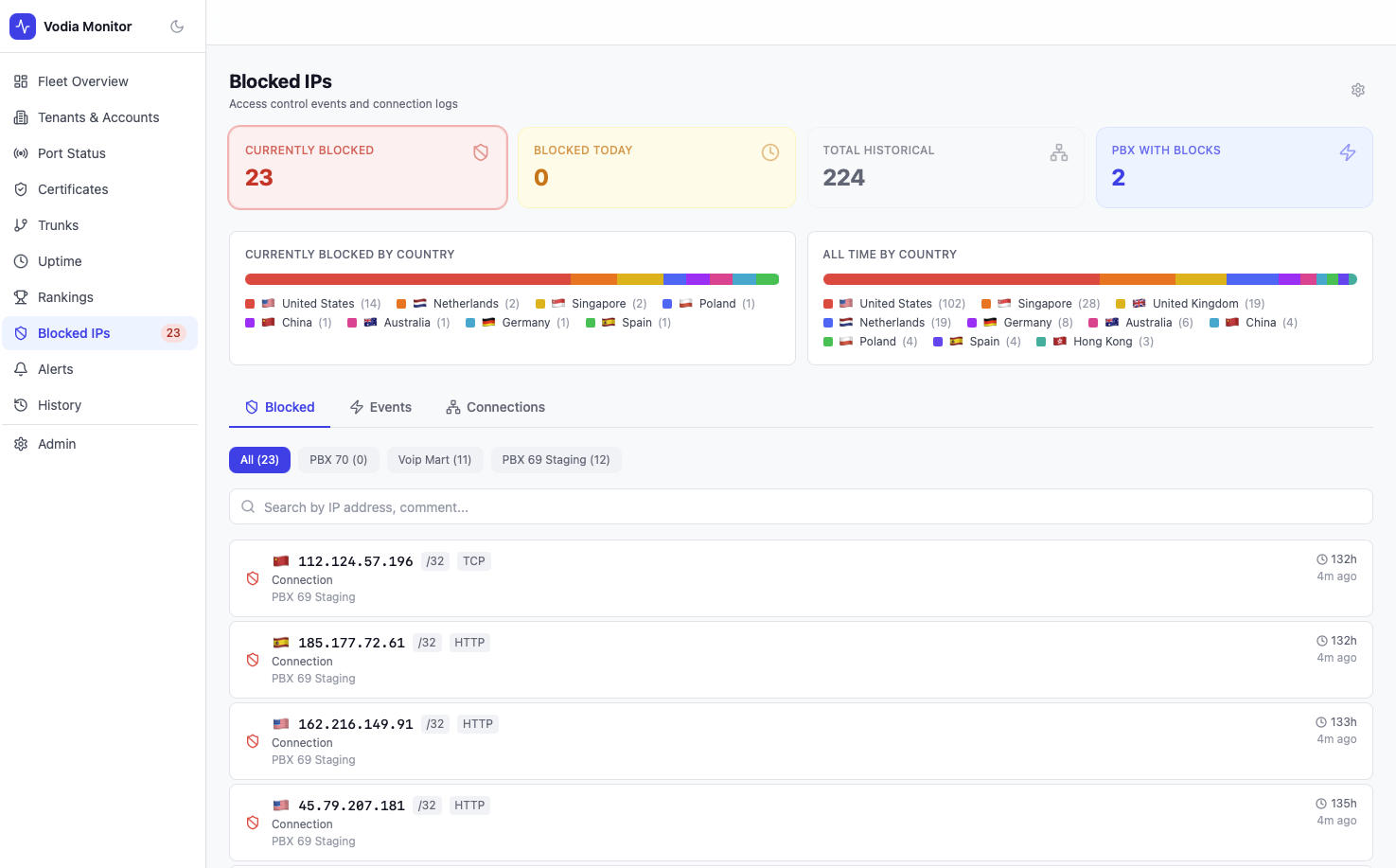
The Blocked IPs page surfaces access control data from your PBX servers — showing currently blocked IP addresses, connection events, and historical totals with country attribution.
Summary Cards
| Metric | Description |
|---|---|
| Currently Blocked | IP addresses on the active blocklist right now |
| Blocked Today | IPs added to the blocklist in the last 24 hours |
| Total Historical | All-time unique blocked IPs across the fleet |
| PBX With Blocks | Number of PBX servers with at least one active block |
Country Breakdown
Two country tables are shown:
- Currently Blocked by Country — country distribution of active blocks
- All Time by Country — country distribution of historical blocks
Each entry shows the country flag, name, and count.
Tabs
Blocked
The default tab shows all currently blocked IPs. Filter by PBX server using the sub-tabs. Each entry shows:
- Country flag and IP address with CIDR notation
- Block reason (e.g.
HTTP) - Event type (
Connection) - PBX server
- How long ago the block was recorded
- Time since last seen
Events
The Events tab shows access control events pulled from the PBX blocklist event log — useful for understanding what triggered a block.
Connections
The Connections tab shows recent connection attempts logged by the PBX, including both blocked and suspicious connections.
Data Source
Blocked IP data is fetched from each PBX via /rest/system/access?type=blocklist (blocked list) and /rest/system/access?type=connections (connection log). Data refreshes on each poll cycle.