AI Insights
The AI Insights page aggregates intelligence from all AI-analyzed calls to surface trends, problem areas, and team performance patterns.
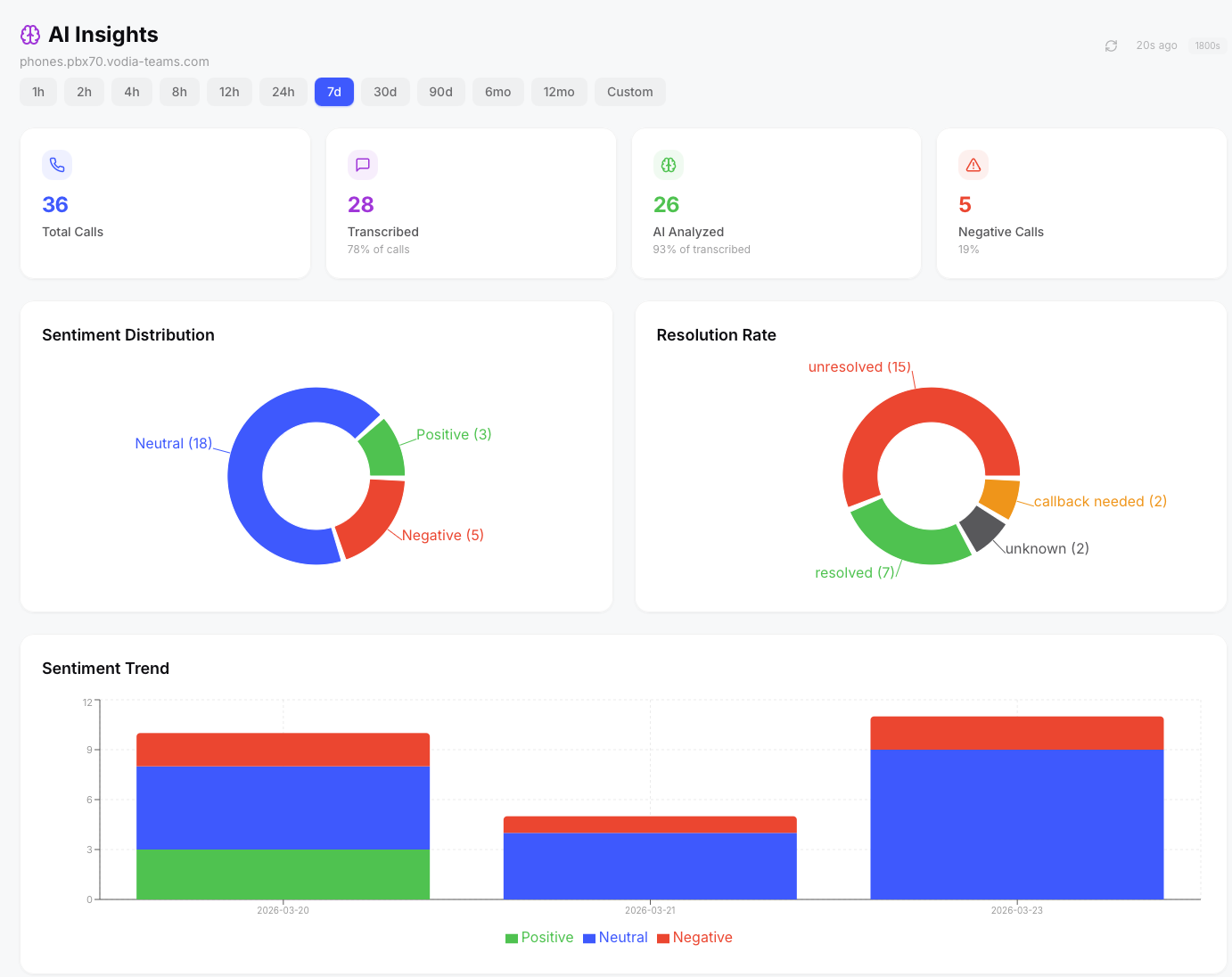
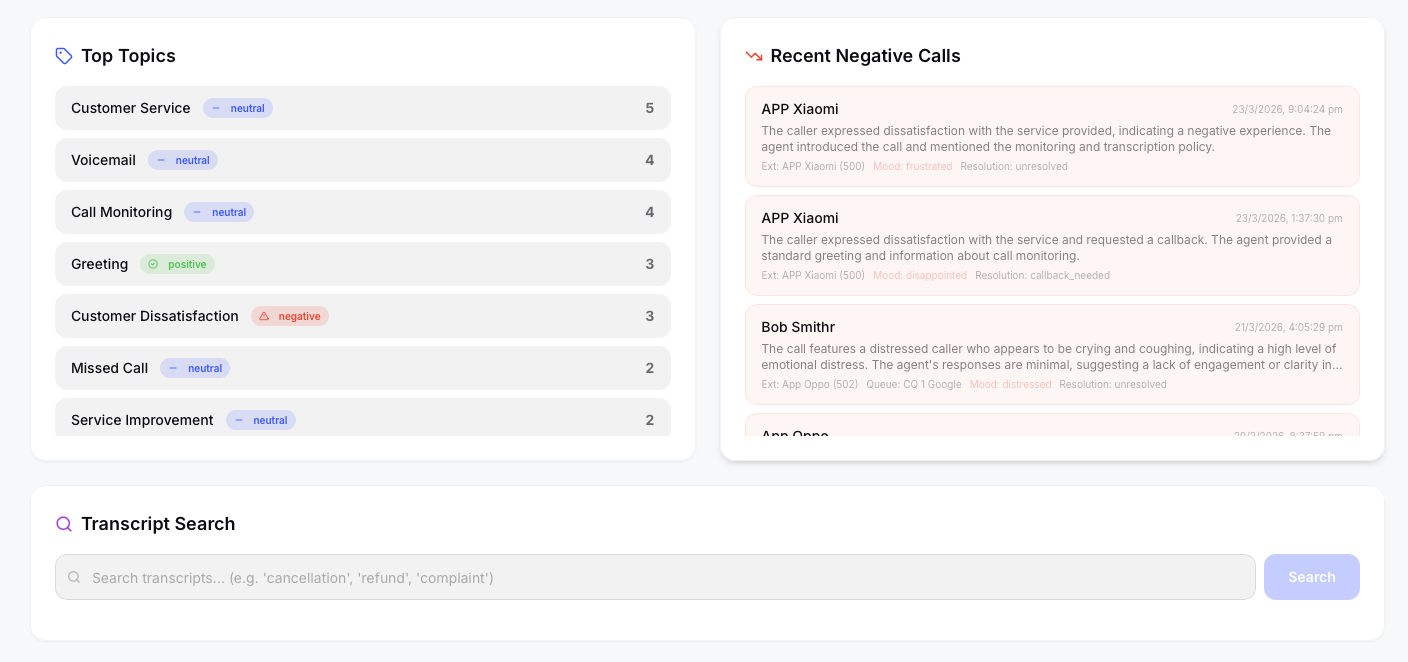
AI Insights showing sentiment distribution, top topics, and recent negative calls.
Sentiment Distribution
A donut chart breaking down all analyzed calls by sentiment: positive, neutral, and negative. This gives you a quick pulse on overall customer satisfaction.
Resolution Rate
Shows what percentage of analyzed calls were marked as resolved vs unresolved vs follow-up required.
Sentiment Trend
A line chart tracking sentiment over time (daily). Useful for spotting trends — for example, a spike in negative sentiment after a service change.
Top Topics
A ranked list of the most frequently discussed topics across all analyzed calls. Topics are extracted by the AI model from each transcript (e.g. "billing inquiry", "technical support", "account cancellation").
Recent Negative Calls
A list of the most recent calls with negative sentiment, showing the call time, parties involved, and a brief summary. Clicking any row deep-links to the Call Detail Modal with the AI Analysis tab pre-selected, so you can review the full transcript and context immediately.
Transcript Keyword Search
A search box that searches across all transcript text. Enter a keyword or phrase to find all calls where that term was mentioned. Results link directly to the relevant call detail.
AI Briefing
Click the ✨ AI Briefing button in the top-right corner to generate an executive summary of your AI insights for the current date range. The AI analyzes your sentiment distribution, trending topics, resolution rates, and negative call patterns, then produces a structured briefing with key findings, concerns, and recommendations.
From the briefing modal you can:
- Email the briefing to a colleague or manager (requires SMTP to be configured in Admin)
- Share a one-time link that anyone can view without logging in
- Copy the briefing text to your clipboard
The AI Briefing feature is also available on the Dashboard and Queues pages, each generating a briefing tailored to that page's data.
Auto-Summarize Toggle
A per-tenant toggle that controls whether new calls are automatically analyzed by the AI pipeline as soon as transcription completes. When disabled, AI analysis can still be triggered on-demand per call from the Call Detail Modal.
- A recording arrives from the PBX
- The worker transcribes it locally using sherpa-onnx (Whisper base model) — audio stays on your server
- If auto-summarize is enabled and an AI provider is configured, the transcript is sent for summary, sentiment, topics, resolution, and action items
- Results are stored in MongoDB and appear instantly in the UI
Vodia Analytics supports multiple AI providers: OpenAI, Anthropic Claude, Google Gemini, and Ollama (self-hosted). Configure your preferred provider in Admin → AI Settings. Only the transcript text is sent to the AI provider — never the audio itself.