Queues
The Queues page provides analytics for all ACD (Automatic Call Distribution) queues across your connected PBX systems.
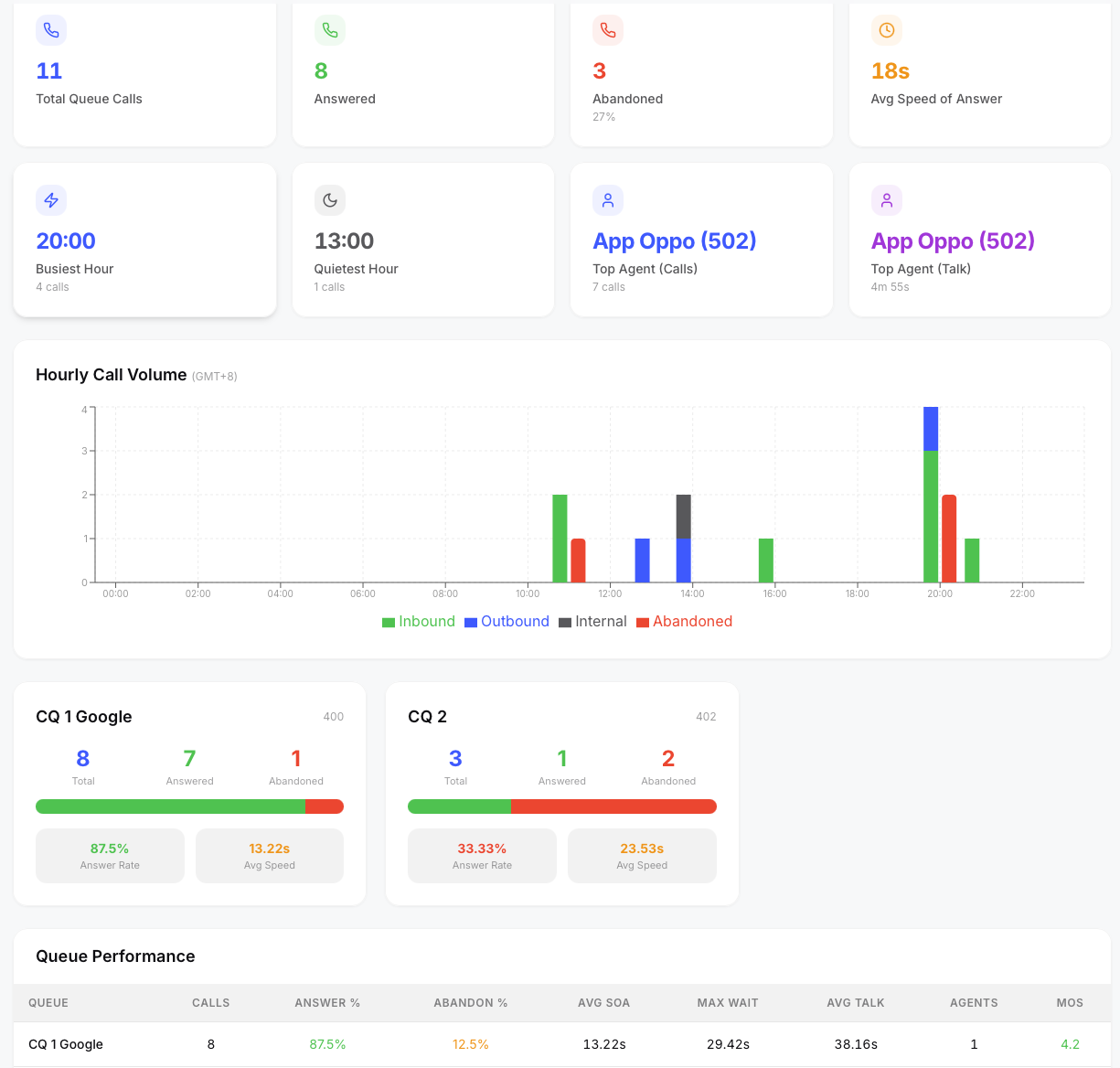
Queue KPIs
Top-level metrics scoped to queue calls only:
- Total Queue Calls — all calls that entered a queue
- Answered — calls answered by an agent
- Abandoned — calls that left the queue before being answered
- Avg Speed of Answer — average time from queue entry to agent answer Additional cards show the busiest/quietest hours and top-performing agents — all scoped to queue activity only.
Queue Cards
Each queue gets its own card showing:
- Queue name and number
- Total calls, answered, abandoned
- Answer rate percentage
- Average speed of answer
- Average talk time
Queue Filter
A dropdown at the top lets you filter the entire page to a specific queue. All KPIs, charts, and tables update to reflect only that queue's data.
Agent Performance (Queue-Scoped)
A table showing agent performance within queues:
- Agent name and extension
- Queue assignment
- Total calls handled, answered calls
- Average talk time, average hold time, average ring time
- Average handle time (talk + hold per answered call)
- MOS score This table respects the queue filter — select a specific queue to see only agents working that queue.
AI Briefing
Click the ✨ AI Briefing button in the top-right corner to generate an executive summary of queue performance. The AI analyzes each queue's answer and abandon rates, wait times, agent utilization, and quality scores for the current date range, then produces a structured briefing with queue rankings, agent highlights, concerns, and staffing recommendations.
If a specific queue is selected in the filter, the briefing focuses on that queue's data.
From the briefing modal you can:
- Email the briefing to a colleague or manager
- Share a one-time link that anyone can view without logging in
- Copy the briefing text to your clipboard
This feature is also available on the Dashboard and AI Insights pages.