Vodia Queue Agents Performance Report
Overview
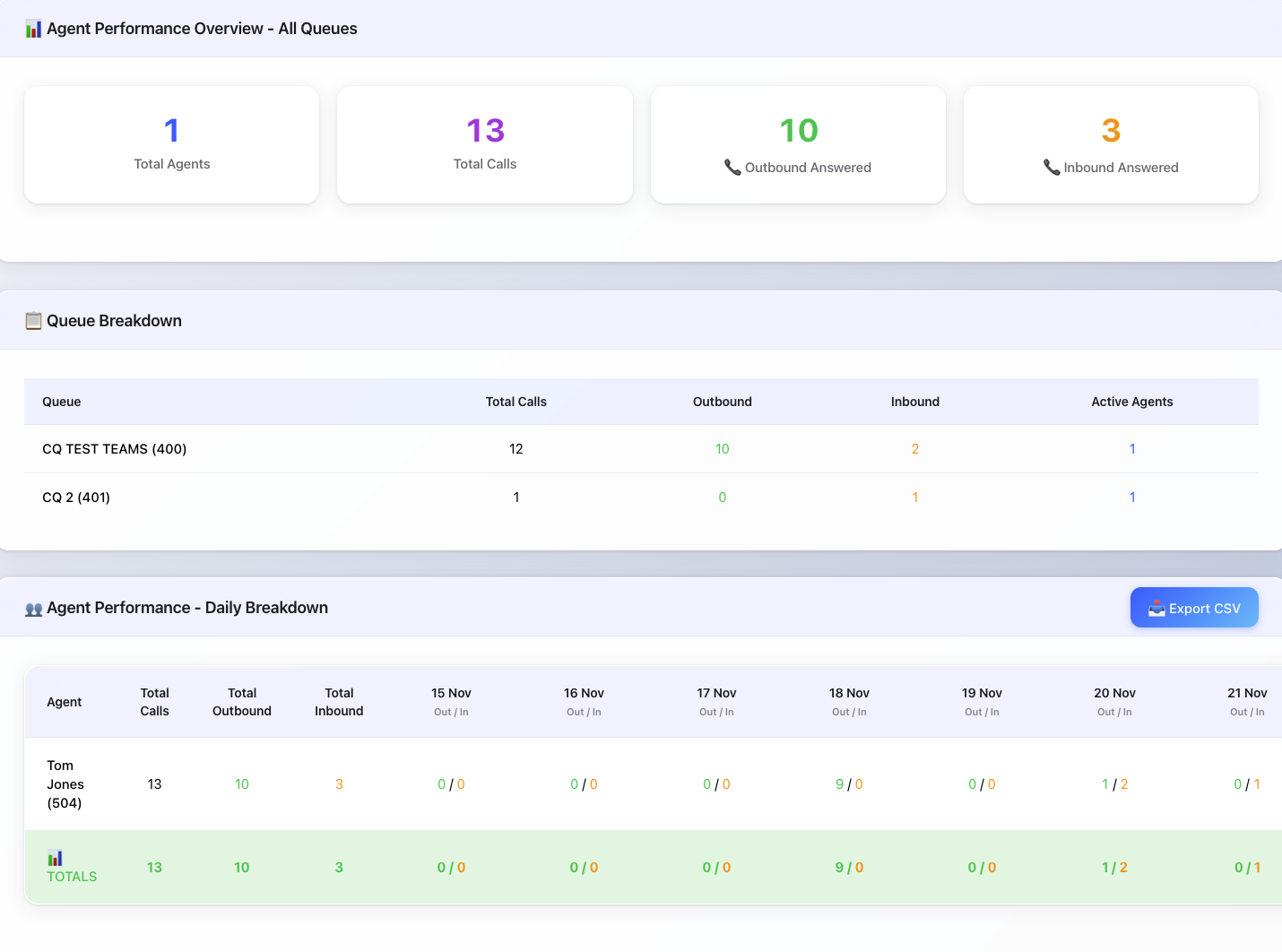
The Vodia Queue Agents Performance Report provides comprehensive agent call activity tracking with daily breakdowns across all queue operations. This streamlined dashboard delivers clear insights into agent productivity, call direction patterns (outbound vs inbound), and queue distribution without complex filtering requirements.
Key Features
📊 Automated All-Queue Monitoring
- Automatic queue inclusion: Monitors all available call queues without manual selection
- Cross-queue visibility: Complete view of agent activity across entire queue infrastructure
- Unified reporting: Single dashboard for all queue operations
- Zero configuration: No queue filtering required
📈 Agent Performance Overview
- Total agents: Active agent count across all queues
- Total calls: Cumulative call volume across all agents and queues
- Outbound answered: Agent-initiated calls successfully completed
- Inbound answered: Incoming queue calls successfully handled
- Real-time metrics: Performance indicators updated with each data refresh
📋 Queue Performance Breakdown
- Per-queue statistics: Individual queue call volumes and direction breakdown
- Active agent tracking: Number of agents handling calls per queue
- Call direction analysis: Outbound vs inbound split for each queue
- Queue comparison: Easy identification of high-volume queues
👥 Daily Agent Performance Tracking
- Daily call breakdown: Outbound/Inbound counts for each day over 7 days
- Individual agent totals: Cumulative performance across selected period
- Trend identification: Spot patterns in agent activity over time
🎯 Intelligent Call Direction Detection
- Outbound calls: Agent in FROM field making external calls
- Inbound calls: External caller connecting to agent
- Answered calls only: Excludes abandoned and unanswered calls
🔄 Data Export & Refresh
- CSV export: Complete agent performance data with daily breakdowns
- Manual refresh: On-demand data updates
Installation
Setup Instructions
- Version 70.3 and later
- Version 70.2 and earlier
Use the built-in Queue Agents Performance Report guided template — the improved, maintained version of this dashboard, so no file download is needed.
- Tenant-wide: open Settings → Custom Home Screen. Single extension: open the extension and select the User Portal tab.
- Under Start from a template, pick Queue Agents Performance Report, set the options and Save — the code is generated and the custom home screen is enabled for you.
- To customize the result, edit the generated code in the JavaScript editor on the same page.
See Custom User Portal Home Screen for details.
Older builds do not include the guided template, so install the downloadable file by hand:
- Download the dashboard file: Vodia Queue Agents Performance Report
- Upload the file as
js/user_portal_custom.jsvia Advanced → Templates → User Portal. - Modify
usr_portal.htm— load the custom script as a module:<!-- Replace this line -->
<script src="js/user_portal_custom.js?v=[[#version]]" async></script>
<!-- With this line -->
<script type="module" src="js/user_portal_custom.js?v=[[#version]]" async></script> - Remove the default component:
<!-- Remove this line -->
<script type="module" src="components/organisms/pbx-home.js?v=[[version]]"></script>
- Enable the custom home screen
- On the same page, turn on Use custom home screen and Save. Choosing a guided template sets this for you automatically.
- A tenant-wide setting applies to all extensions; a per-extension setting overrides the tenant-wide one for that user.
- Version 69
- Version 70
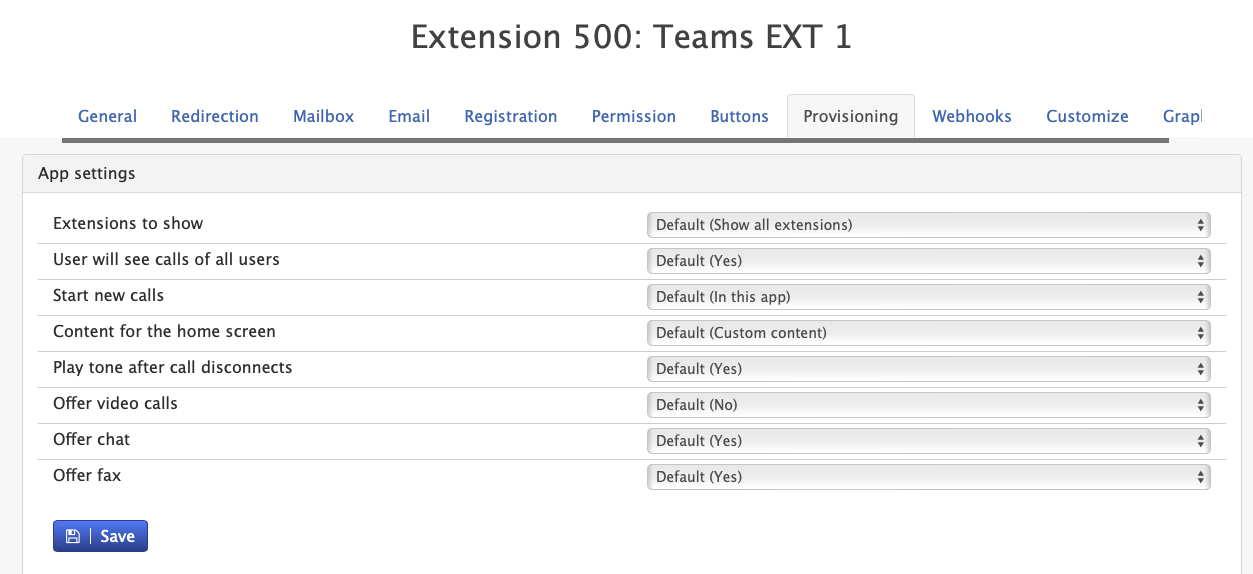

- Version 69
- Version 70
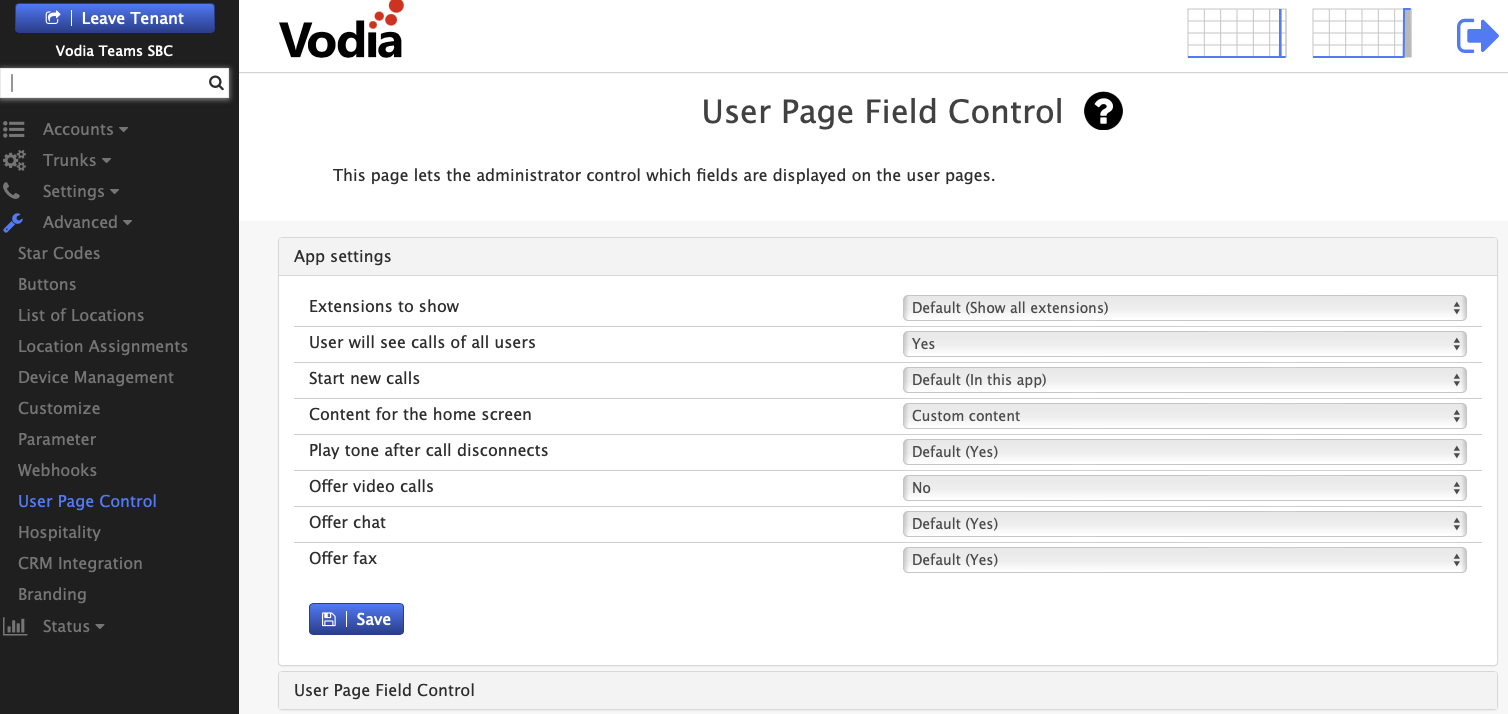

- Configure Required Permissions
- Ensure Call records and Queue permissions is enabled under Tenant settings -> group
Report Sections
📊 Agent Performance Overview
- Purpose: High-level summary across all queues and agents
- Metrics: 4 summary cards with totals
- Update frequency: Refreshes with each data load
- Scope: Entire date range selected
📋 Queue Breakdown
- Purpose: Per-queue performance visibility
- Columns: Queue name, total calls, outbound, inbound, active agents
- Sorting: Displays all queues with activity
- Color coding: Green (outbound), Orange (inbound), Blue (agents)
👥 Agent Performance - Daily Breakdown
- Purpose: Individual agent productivity tracking
- Structure: Agent rows with daily columns
- Format: Each day shows "Outbound / Inbound" split
- Totals: Bottom row sums all agent activity
- Navigation: Horizontal scroll for extended date ranges
Technical Requirements
System Requirements
- Vodia PBX version 69.0 or higher
- Call history/CDR data retention enabled
Browser Compatibility
- Modern browsers with ES6 module support
- JavaScript enabled
- Minimum 1280px screen width recommended for daily columns
- CSV download capability
Data Requirements
- Call records: Must have talk time > 0
- Queue assignment: Calls must have queue field populated