Custom Wallboards
Note for Version 70: Create a folder called
contentfor Version 70 and above. You will also need to edit the start up file and pass `--usr-dir' as an argument
For e.g. the first few lines of the start up file are shown below
PBXNAME=pbxctrl
PBXEXE=/usr/local/pbx/pbxctrl
PBXDIR=/usr/local/pbx
USRDIR=/usr/local/pbx/content

#Service script for the Vodia PBX:
case "$1" in
    start)
        echo -n "Starting PBX daemon"
        $PBXEXE --dir $PBXDIR --user-dir $USRDIR --respawn || return=$rc_failed
        echo -e "$return"
        ;;
Here are a couple of custom wallboard designs that you can set up for your Vodia PBX.
Tip: Ensure you have set 'Read content for global and domain files' to 'Read from file system' under System Network → Ports
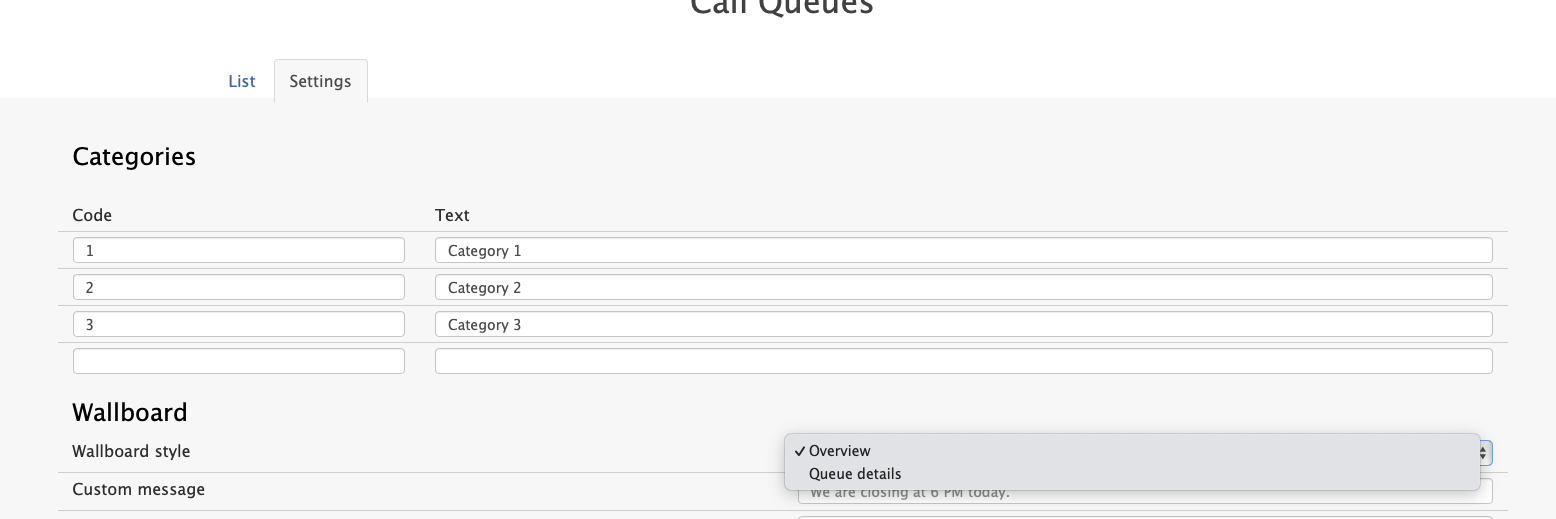
You can install these 2 designs in parallel and use Call Queue settings to toggle between them, i.e., 'overview' or 'queue details'.
- Version 69
- Version 70

Wallboard Rows Design
This design provides a row-based layout for displaying call queue information.
Preview
Installation
- Add this wallboard JS file to the folder
pbxwebai/js/orcontent/js/for Version 70 and above. - Customize the
usr_wallboard2.htmat tenant level or user level with this file
Wallboard Overview Glass Design
This design features a modern glass-style interface for wallboard overview.
Preview
Installation
- Add the wallboard JS file to the folder
pbxwebai/js/orcontent/js/for Version 70 and above. - Customize the
usr_wallboard.htmat tenant level or user level with this file
Configuration Notes
- Both designs can be installed simultaneously
- Use Call Queue settings to switch between different wallboard views
- Ensure proper file permissions are set for the
pbxwebai/js/orcontent/js/for Version 70 and above - Test the wallboard functionality after installation to verify proper operation
Troubleshooting
If the wallboard doesn't display correctly:
- Verify that the files are placed in the correct directory (
pbxwebai/js/orcontent/js/for Version 70 and above.) - Check that the 'Read content for global and domain files' setting is configured properly
- Ensure the
usr_wallboard2.htmfile references the correct wallboard design file - Review system logs for any errors related to file access or JavaScript execution