Settings, Users and Roles
Settings
Settings holds your business identity and everything that is about your company rather than about a particular tenant.
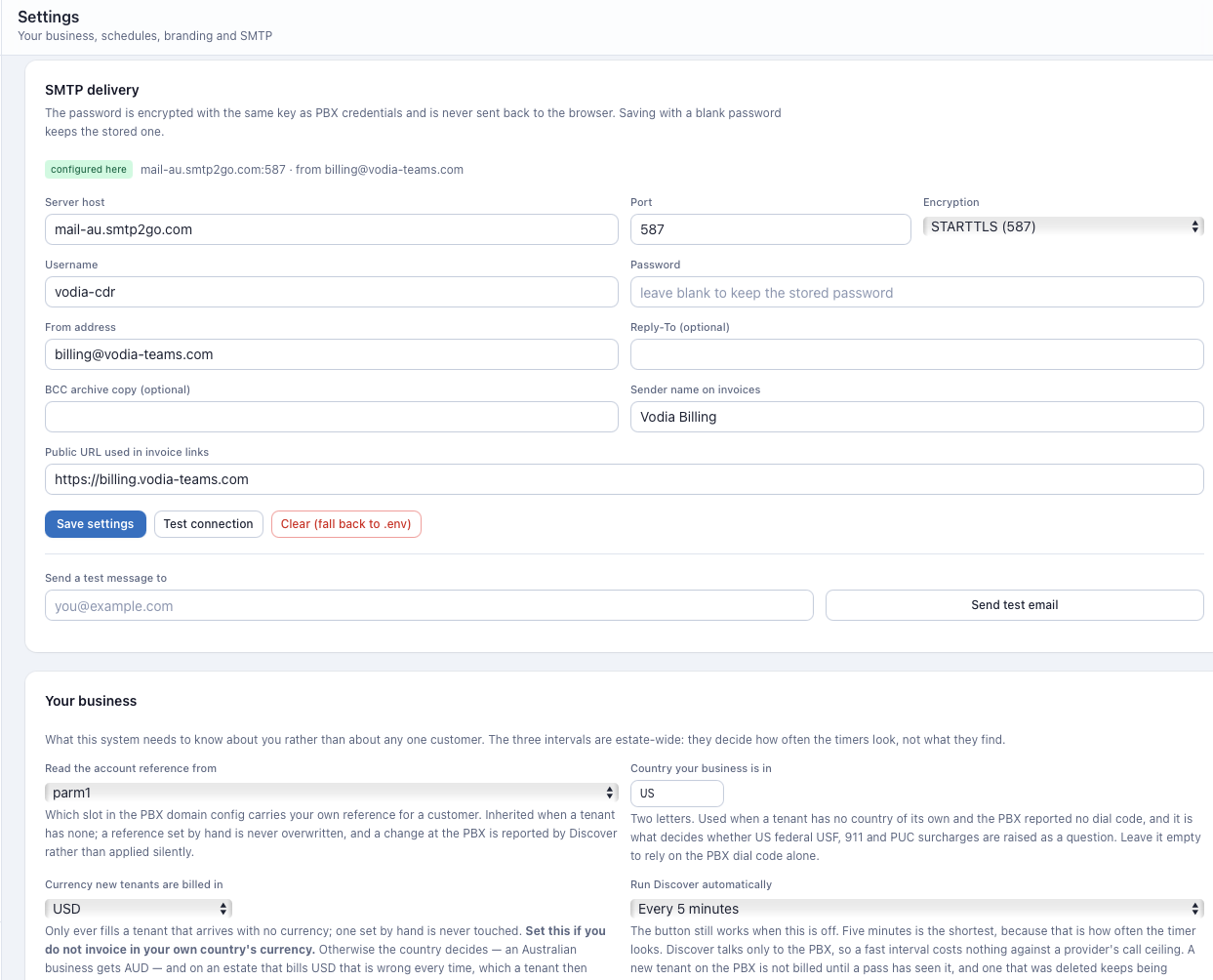
Business identity
Your legal name, address, tax registration number, and the contact details
printed on every invoice. Also the account reference field, which is the
PBX field Vodia Billing matches your customer identifiers against — by
default parm1.
Public origin
The externally reachable origin used to build invoice share links. It must be the address your customers can actually reach, so a link in an invoice email opens rather than failing.
SMTP
Host, port, encryption, username, password and from-address.
SMTP configured here is stored in the database with the password encrypted
under ENCRYPTION_KEY. It is never returned to the browser, and saving with a
blank password keeps the stored one.
Resolution is database first, environment second. An existing SMTP_HOST
in .env keeps working and can be overridden here without a redeploy;
clearing the settings falls back to .env.
A test email button validates the configuration.
With no SMTP configured, email is disabled and the interface says so. Bill runs still prepare and finalize.
Branding and templates
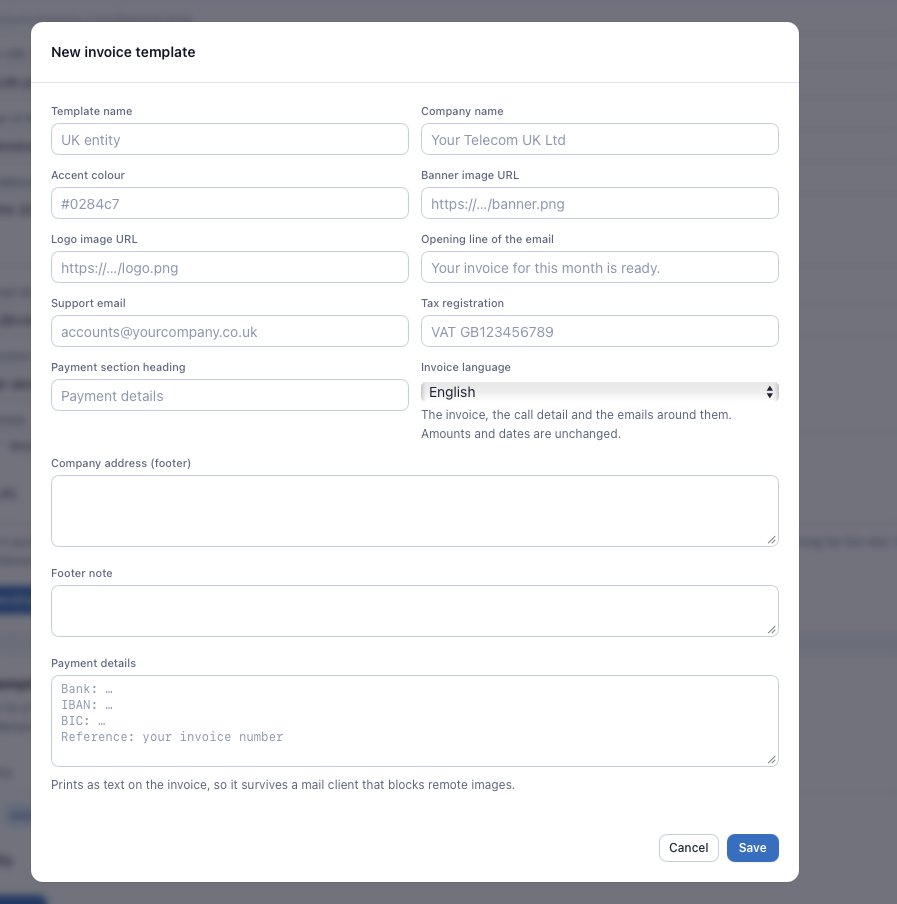
The invoice template library: logo, colours, footer text and language per template. Thirteen languages are available, with per-key fallback to English.
Assign templates per customer. A customer with no template inherits the default. The template is a property of the document, so it belongs to the party being invoiced rather than to any one of its sites.
Stripe
The installation's Stripe credentials, and whether customers who have never been decided about are offered card payment.
The secret key and the webhook signing secret are stored encrypted under
ENCRYPTION_KEY and are never returned to the browser. Typing a key arms
nothing: only Test connection can mark the connection usable, and changing
the key disarms it again. Live or test is read from the key's own prefix and
never stored separately.
Full detail, including the webhook endpoint and the events to subscribe to, is in Stripe.
Schedule intervals
How often the scheduler takes PBX snapshots and syncs payments from the accounting package.
Users
Users manages team access. Visible to super_admin and admin only.
Each user has an email, a role and a password. New users receive a temporary password, must change it on first login, and must then complete two-factor setup.
Roles
| Role | Access |
|---|---|
super_admin | Everything, including Users and the Audit log |
admin | Everything, including Users and the Audit log |
viewer | Read-only across the whole application |
viewer is enforced at the API, not in the interface. Every write method is
refused for a viewer regardless of which endpoint it targets, with
authentication endpoints exempted so a viewer can still log in and manage
their own 2FA.
A user document with no role at all is treated as not a viewer, so an
account created before roles existed does not silently lose access. Only an
explicit viewer is restricted.
Cost prices, margin and the Margin tab are partner-only regardless of role, and never appear on a customer-visible surface.
Security
Security manages your own two-factor authentication and passkeys.
- TOTP — an authenticator app such as Google Authenticator, Authy or 1Password. Required unless a passkey is registered.
- Passkeys — WebAuthn credentials: fingerprint, face or hardware key. Multiple passkeys per user, one per device.
Two-factor authentication is mandatory. The first login on an unsecured account routes straight to setup.
Passkeys are cryptographically tied to RP_ID, which is set from DOMAIN at
install. Move the install to a different hostname and every registered
passkey stops working; each user must re-register. TOTP is unaffected.
There is deliberately no email password reset. Root access to the server is the recovery factor. To clear a locked-out user's 2FA:
cd /opt/vodia-billing
docker compose exec mongo mongosh vodia_billing --eval \
  'db.users.updateOne({email:"you@example.com"},{$set:{totp_enabled:false},$unset:{totp_secret:"",totp_pending_secret:""}})'
Their next login re-enters forced 2FA setup.
Login attempts are rate-limited per IP, RATE_LIMIT_LOGIN per minute,
default 10.
Audit log
Who did what, and when. Visible to super_admin and admin only — a log
readable by everyone it audits is a different product.
Logged events include authentication, user changes, tenant and plan configuration changes, rate sheet commits, tax profile application, invoice finalization and voiding, credit application, share link creation and revocation, accounting connections and pushes, call reclassification, and fraud response actions.
Stripe adds its own: settings saved, connection tested, online payment set per customer, a payment page created for a customer, and every event the webhook acted on — payments recorded, refunds booked, disputes opened and closed, and the ones it refused. The Stripe secret key is never written to an audit row; the mode it implies is.